


EasyUEFI Professional is a useful software to manage EFI boot options & BCD boot options & EFI system partitions. It can help you repair Windows boot issues caused by corrupted or missing (U)EFI boot options, BCD boot options, or the EFI System Partition. You can also manage BCD boot options, such as creating, deleting, editing, setting a default boot option, backing up and restoring boot options, or changing display order.
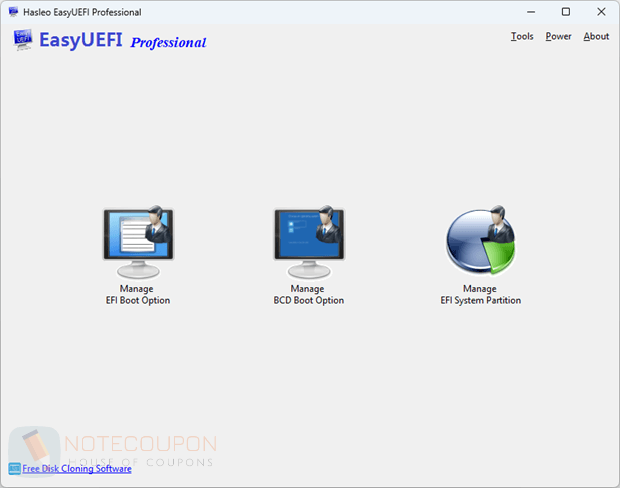
Features
- Comprehensive (U)EFI boot option management functions, such as create, delete, edit (U)EFI boot options, change (U)EFI boot sequence, etc.
- Comprehensive BCD boot option management functions, such as create, delete, edit BCD boot options, change default boot entry, etc.
- Backup, restore, rebuild, delete, explore, read and write EFI System Partition (ESP) or move EFI System Partition (ESP) to another drive.
- Creation of Windows PE emergency disk and command line support
- Supported OS: (U)EFI-based Windows 11/10/8/7/Vista/2022/2019/2016/2012/2008.
EasyUEFI Professional Giveaway Details
- Registration page: EasyUEFI Professional Giveaway Link
- License code: n/a
- Download page: EasyUEFI_Trial.exe
- License details: lifetime
You may also like:
- 25% Off EasyUEFI Professional V6 Coupon Code
- 25% Off EasyUEFI Professional + Lifetime Free Upgrades Coupon Code
Terms and Conditions
- This is a 1-computer 1-year license, for noncommercial use
- No free updates; if you update the giveaway, it may become unregistered
- No free tech support
- You must download and install the giveaway before December 31, 2025.
- May not be resold
Technical Details
- Publisher: Hasleo Software
- Homepage: https://www.easyuefi.com/index-us.html
- Version: 6.0
- Download size: 6.86 MB
- Supports: Windows 7, 8/8.1, and 10/11 (32-bit and 64-bit)